 bCAD: OpenSCAD-syntax with Exact Geometry
 Статии на български
bCAD: OpenSCAD-syntax with Exact Geometry§
1 What is bCAD?§
If you have ever used OpenSCAD for mechanical parts, you probably know the pain of dealing with its underlying CSG/Manifold/mesh engine. OpenSCAD is fantastic for code-driven design, but exporting everything as discretized polygons (STL) is less than ideal when you want to send your models to modern CAM software or integrate them into traditional engineering workflows. We need STEP files and true continuous geometry.
There was an abandoned project on GitHub called bcad that attempted to solve this. I decided to pick it up, revive it, and push it forward.
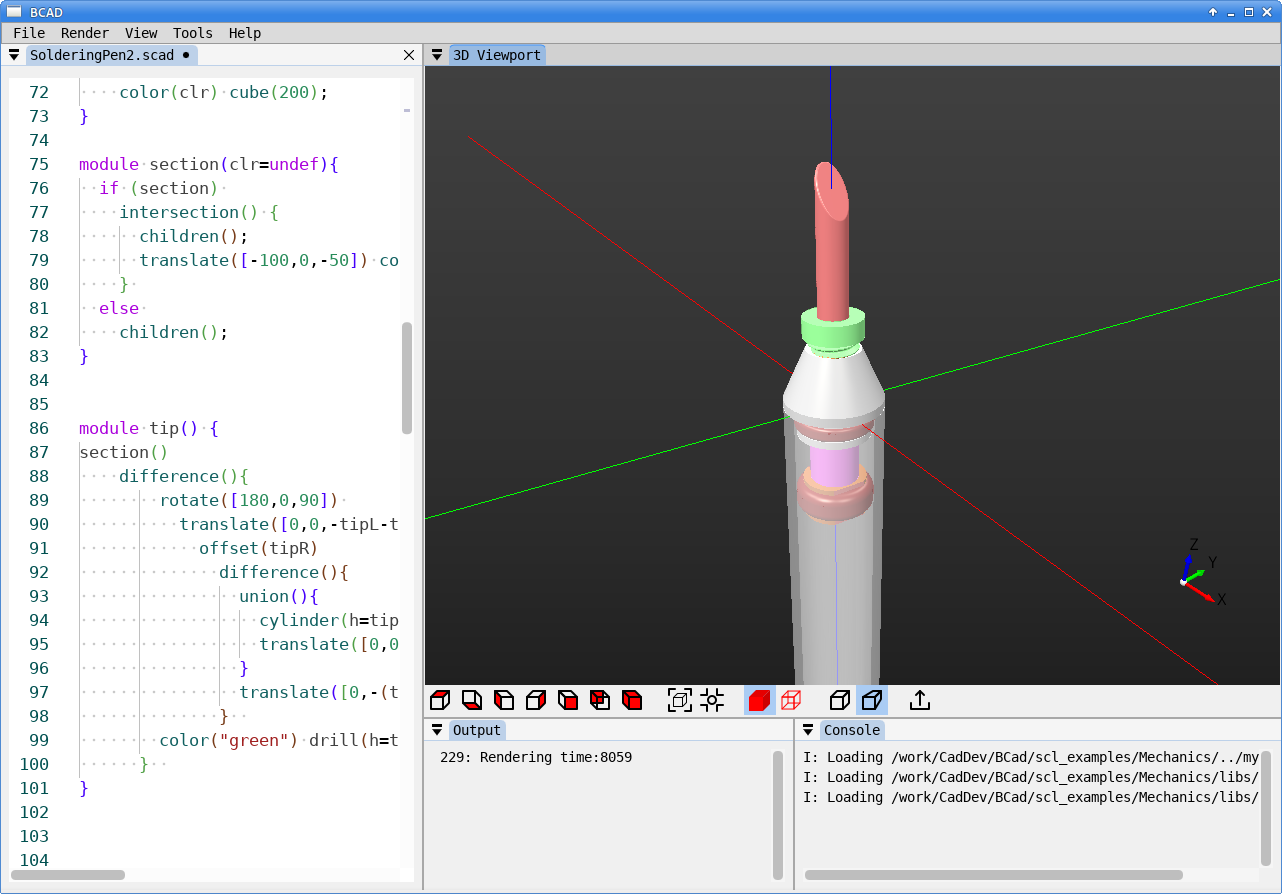
The result is a new, standalone version of bCAD. It retains the OpenSCAD ideology and language compatibility, but under the hood, it is powered by OpenCASCADE (OCCT). This means it operates on exact geometry (B-Rep) rather than polygonal meshes, allowing for flawless STEP export.
2 The Twist: I didn't write the code§
Here is the fun part about this project: I have decades of programming experience, but I write almost exclusively in Assembly, with occasional dips into C. I don't know Python, and my knowledge of 3D graphics programming is strictly at the user level.
Since I couldn't write a modern Python-based 3D CAD GUI myself, I delegated 100% of the coding to AI. The entire development of this revival was done using the terminal version of opencode driven by the Big Pickle agent.
To my surprise, the result turned out to be very decent and completely functional. I figured since an AI wrote the code, it's only fair that an AI wrote this blog post too. :)
3 Features and Tech Stack§
- Core: OpenCASCADE (True B-Rep / exact geometry).
- Language: OpenSCAD mostly-compatible syntax with some additions for example 3d offset() function.
- Export: STEP and STL formats as for now. (BTW, the program can open and render STEP files in ASCII format)
- GUI: Built using imgui-bundle, keeping it lightweight, responsive, and cross-platform.
4 Try it out (Zero Installation)§
I wanted to keep deployment as simple as possible. The application is fully portable and keeps all its runtime files neatly contained in its own directory. If you don't like it, just delete the folder—it won't leave garbage in your system.
Downloads:
For Linux: bcad-linux.7z
For Windows: bcad-windows.7z
Note 2: [04.10.2026] The first version with OpenCASCADE v8.0.1; The performance increased and the size of the packages decreased. Probably some bugs are fixed in the latest version. But of course I have found a bug right after the migration.  .
. And of course I have fixed it, but was unable to report to the developers, because, they migrated to github, where I can't post issues, closed the forums and bug tracker and my e-mail was rejected by their mail server. Well, it is their choice. This bug is fixed in bCAD. If someone needs, here is the fix: one-char-fix.
At the end I have reported the bug through the FreeCAD forum, so it will be fixed in the upstream as well.
Note 1: [26.07.2026] The today releases seems to be almost fully compatible with OpenSCAD. Of course bugs are possible, but the planned compatibility was reached.
5 How to run:§
- Extract the archive into any folder.
- On Linux: Run
./bcad - On Windows: Run
.\bcad.exe
IMPORTANT: Notice that I am updating the download files regularly and as long as the project uses rolling releases there will be no versions other than the VCS hash version. You can see it in Help|About dialog. So, if you liked bcad, check the timeline in the repository and download fresh versions from time to time. There probably will be new features and bug fixes. 
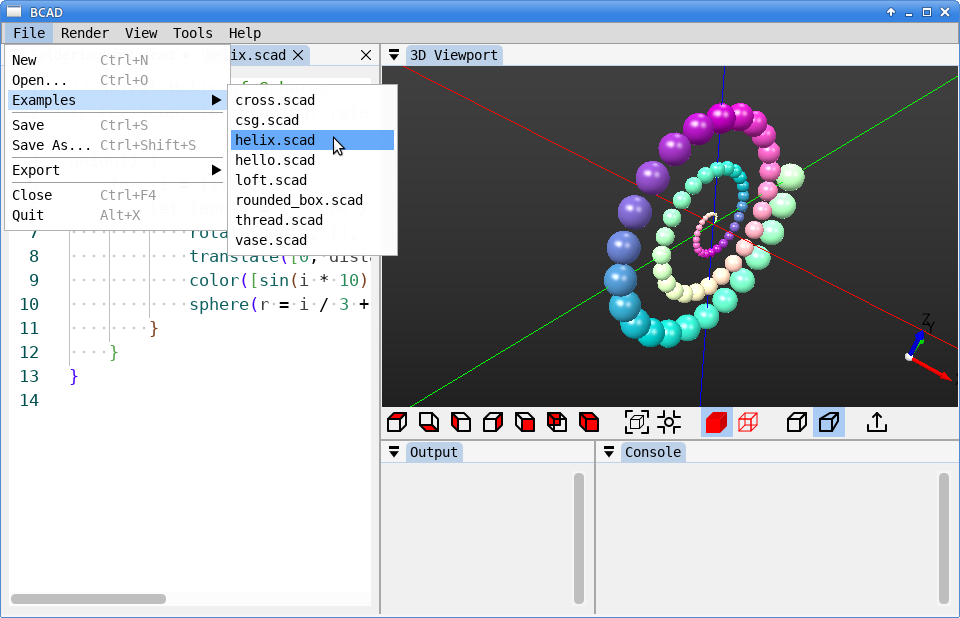
Once you start bcad, go to File | Examples to see how it works. Since it parses OpenSCAD, you can also just load your existing .scad scripts and see how they compile into exact geometry.
6 Source Code and License§
The project is licensed under GPL v2.
Instead of GitHub, I host the source code on a Fossil repository. You can explore the code, open tickets, or pull the repo here:
Repository: https://asm32.info/fossil/bcad/
(Original abandoned code by snegovick can be found here).